Run the entire stack yourself.
ONE COMMAND
From nothing to a running stack
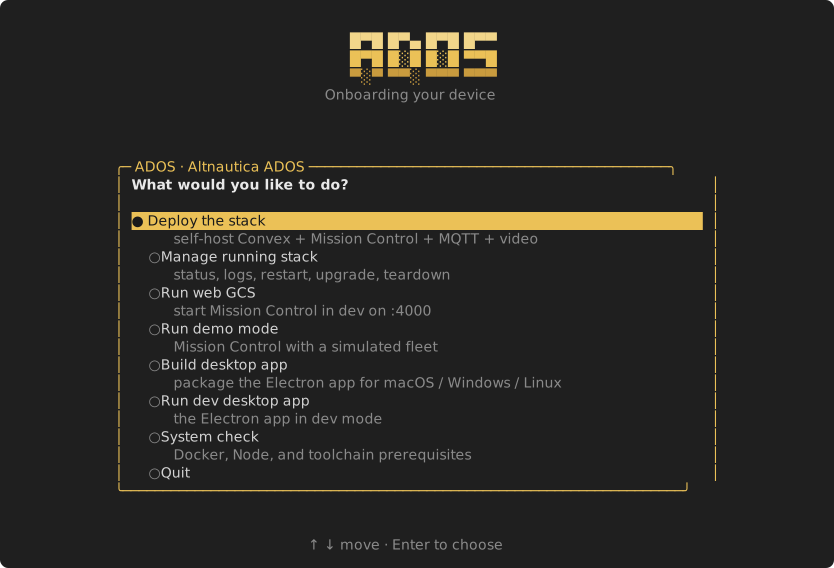
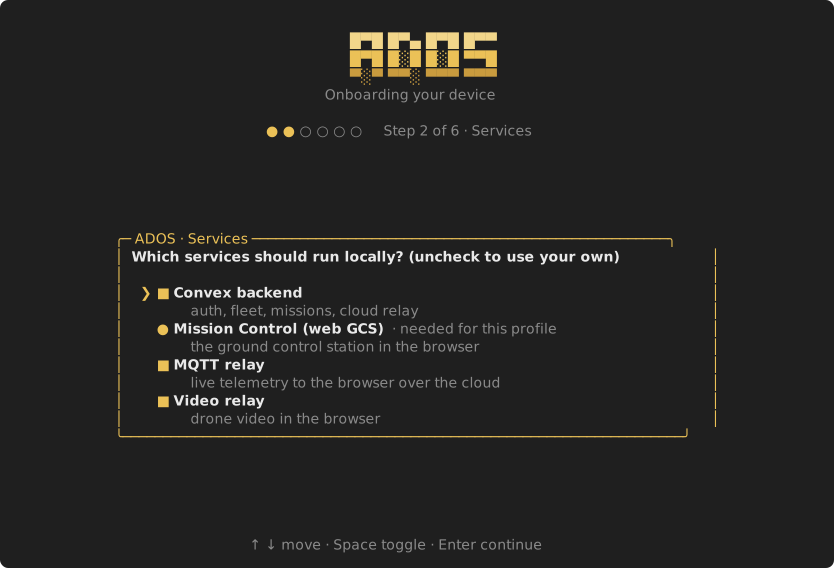
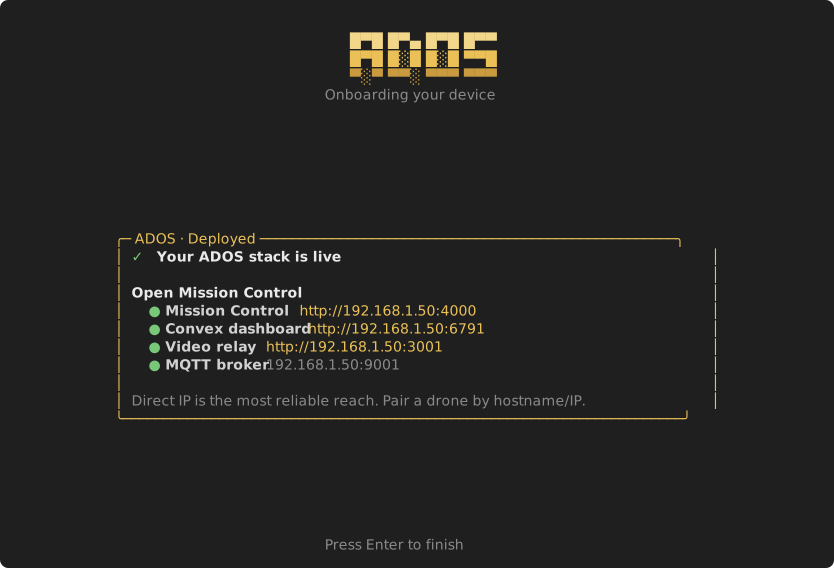
The deployer is a full-screen terminal app. It generates the config, starts the backend, pushes the functions, sets the auth keys, brings up every service, and verifies it. Prerequisites: Docker and Node 20+.
$# One-liner (clones the repo if needed, then launches):
curl -sSL https://raw.githubusercontent.com/altnautica/ADOSMissionControl/main/tools/deploy/deploy.sh | sh

# Or, from a checkout of ADOSMissionControl:
npm run deploy -- deploy          # the guided wizard
npm run deploy -- deploy --plan   # preview every command and file, run nothing
npm run deploy -- status          # a running stack's containers and reach links
THE FLOW
Watch it deploy
The same checklist and live detail you get from the on-drone installer, now for the cloud stack.
THE SCREENS
Guided, not cryptic
WHAT RUNS
Four services on one host
A single 4-core, 8 GB box handles a small fleet. Each layer is optional and additive.
- Mission Control (web GCS)
- port 4000
- Convex backend (client API)
- port 3210
- Convex backend (HTTP actions)
- port 3211
- Convex dashboard
- port 6791
- MQTT broker (TCP / WebSocket)
- 1883 / 9001
- Video relay (RTSP to WebSocket)
- port 3001
HOW IT WORKS
Built to be trusted
Your keys stay yours
Generated secrets (the Convex instance secret, the auth keys, the MQTT password) are written only to gitignored local files or set directly on your own backend. Nothing is printed to a log or sent anywhere.
Managed or spun up
Spin every service up locally, or point at a Convex, MQTT, or video relay you already run. The deployer wires whichever you choose.
Preview before you run
Plan mode prints the exact commands and files a deploy would run and write, with secrets redacted, so nothing happens until you say so.
Manage it after
Status, logs, restart, upgrade, and a guarded teardown are one menu away. Re-running is safe; completed steps are skipped.
You do not need any of this to fly. Mission Control runs standalone in the browser, pairs with an ADOS agent over your local network, and works fully offline. Self-hosting is for teams who want multi-drone dashboards and telemetry over the internet without depending on anyone else's cloud.